
Rootmate: E-commerce UX

Context
Rootmate is an online plant store. They need help designing a first purchase flow that guides users toward the right products.
🎯 Goal
Design a compelling, data-driven prototype that helps users find products that meet their needs.
👤 My role
UX writing, content design, user research, usability testing, prototyping (independent project)
⇢ Timeline
8 weeks
🛠 Tools
Figma, Miro, Whimsical, Airtable, Google Forms
Content design process
Research and analysis → Feature ideation → Voice and tone guidelines → User flow mapping → Mockups → Testing → Optimization
User research helped uncover 3 key pain points in the plant shopping process:
finding plants that suit their lifestyle and/or environment
understanding how to take care of their plants
keeping their plants healthy/alive
Based on research findings, I established a primary user persona for Rootmate.
User persona
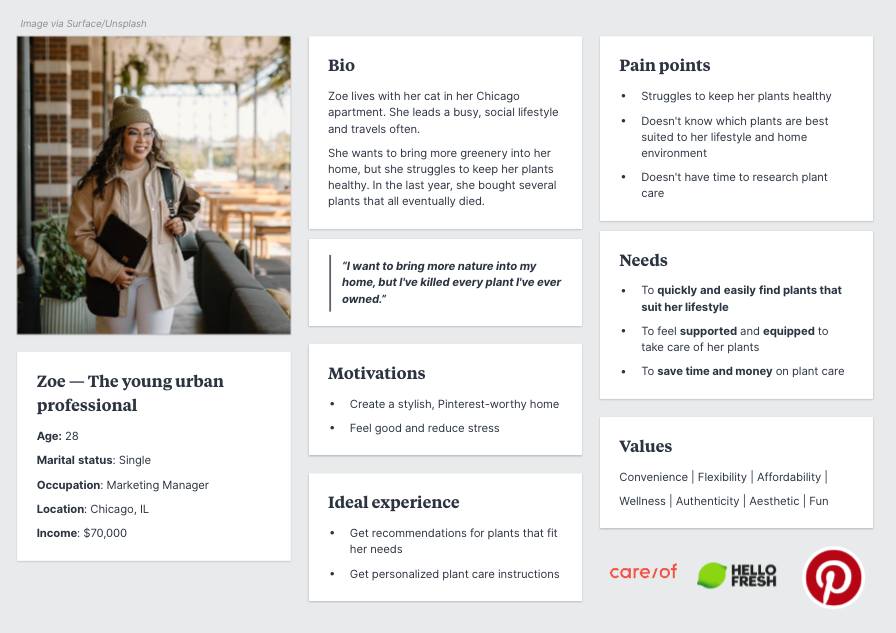
With a clearer understanding of target users’ needs, I began exploring content features to address them.
I did a card sorting exercise that helped me prioritize features based on relevance to user goals. Top priorities included above-the-fold content for the homepage and a personalized plant-matching quiz.
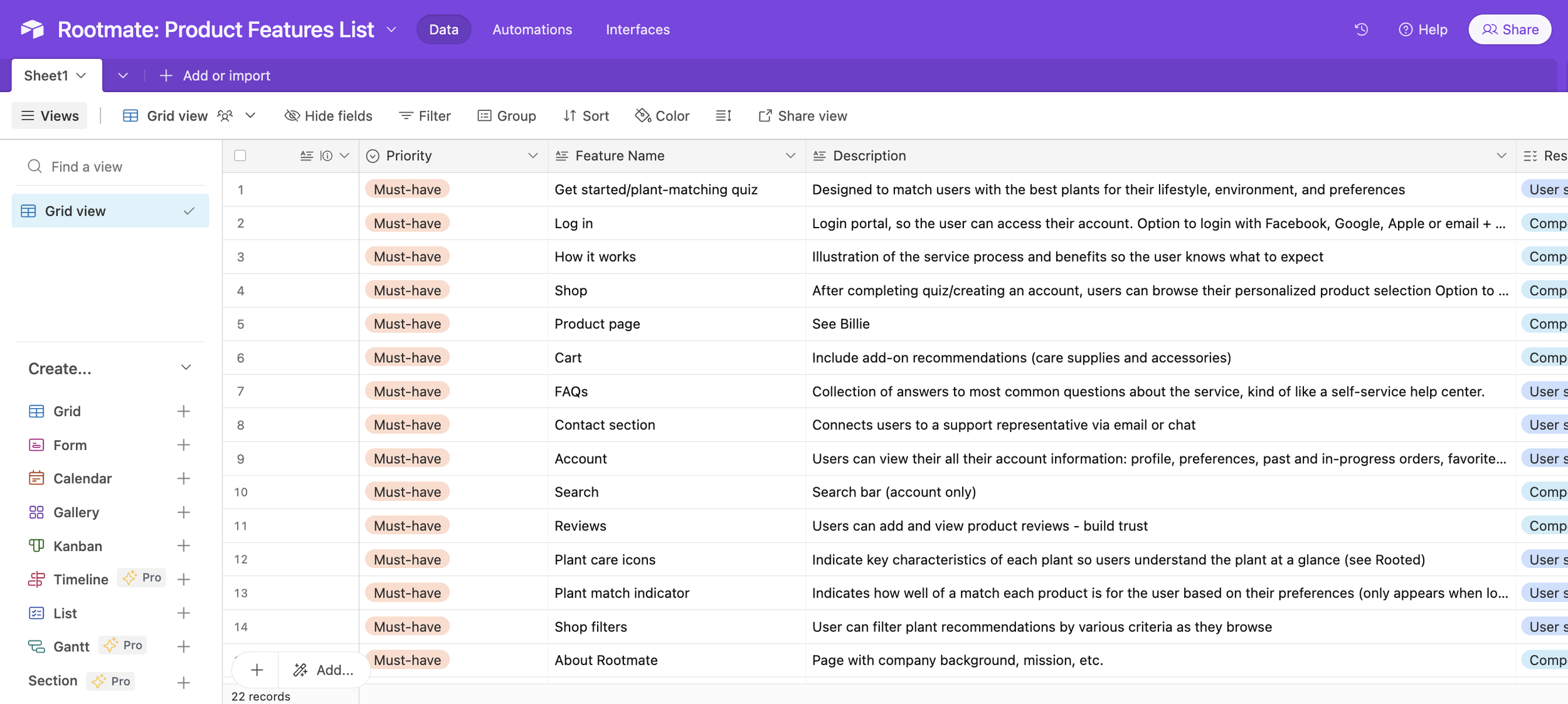
Content features list
Drawing on my understanding of user attitudes and motivations, I established a voice that was approachable, fun, and supportive.
The voice and tone guidelines would help ensure users got the right message, in the right place, at the right time.
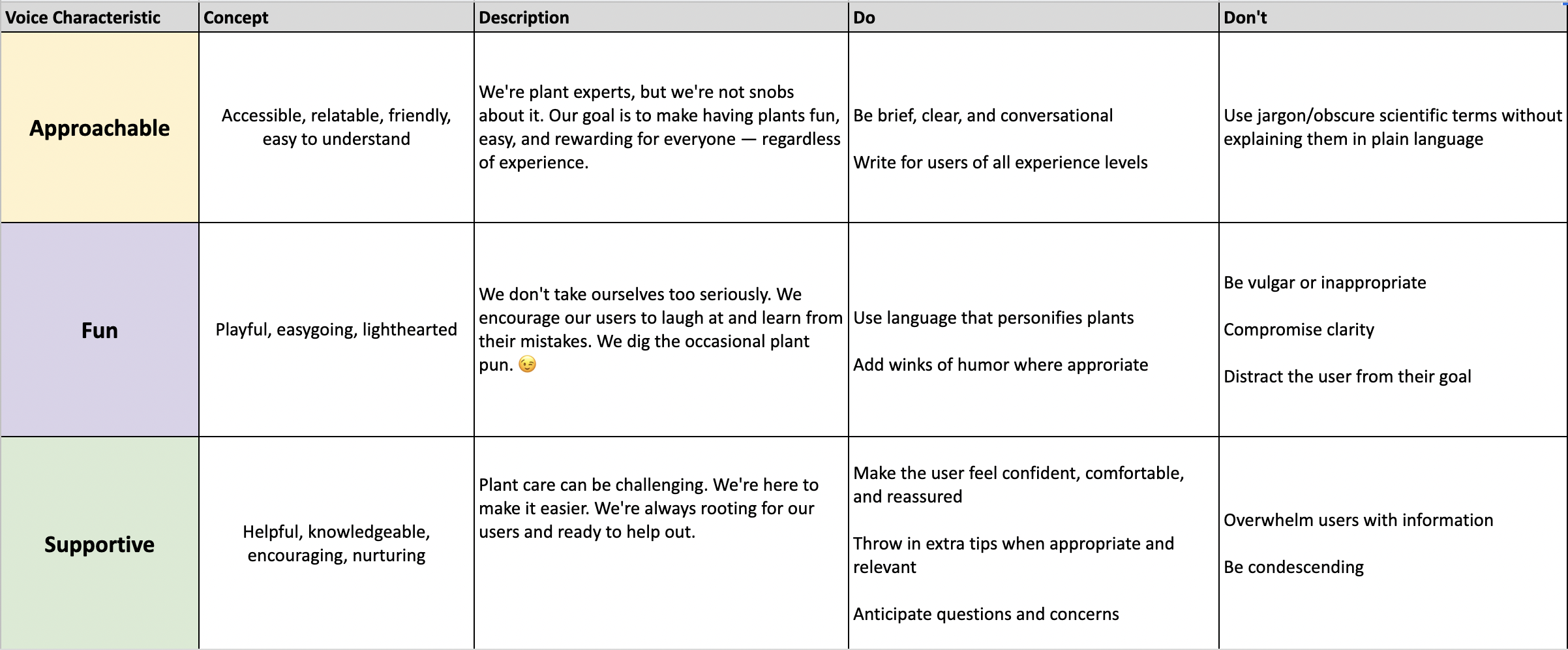
Voice + tone guidelines
Next, I mapped out the key user flow.
This helped me visualize the process that users would go through to accomplish their main goal, buying a plant, and predict their emotional responses and concerns along the way.
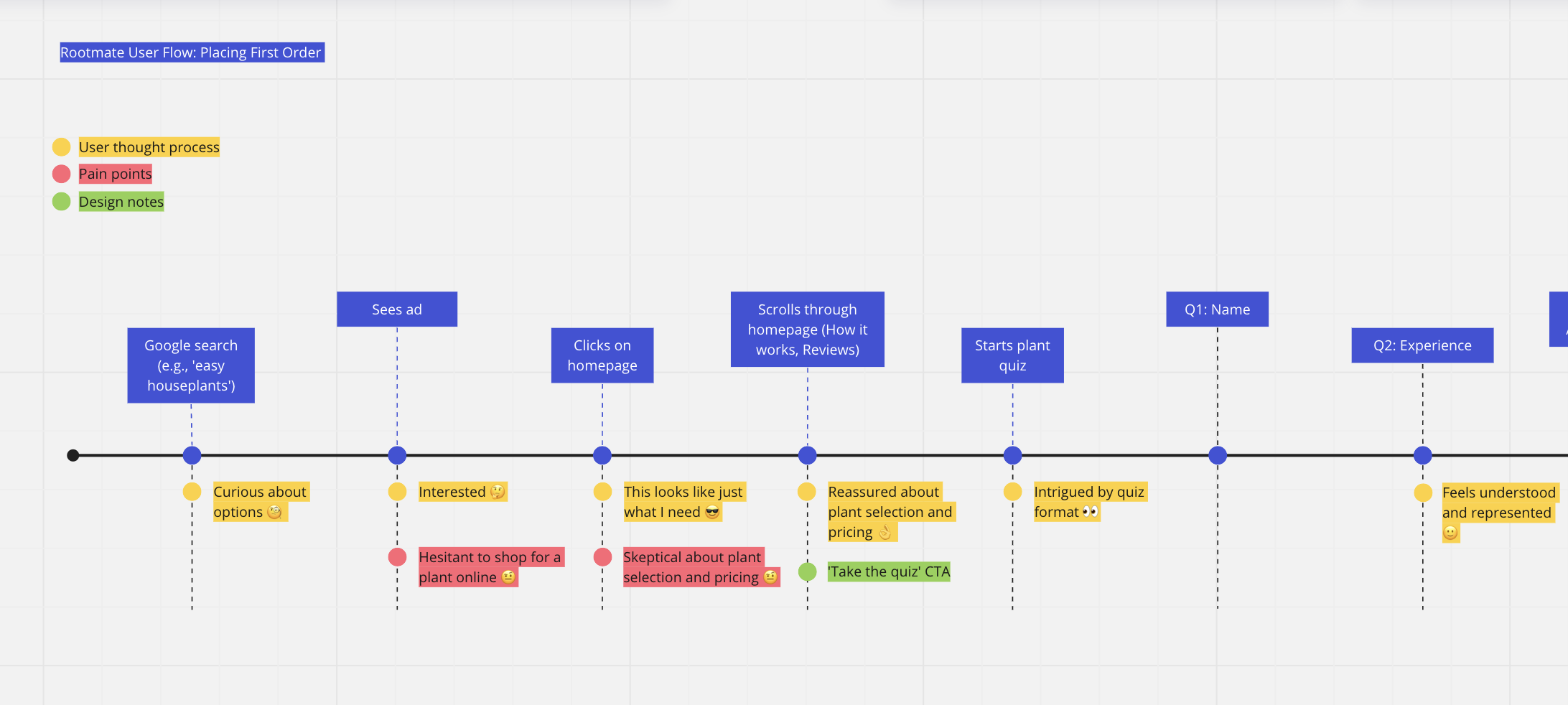
User flow: First purchase
Using insights gathered in the research and ideation stages, I mocked up screens for the key user flow.
I then conducted highlighter tests with a small group of users and validated final copy decisions based on feedback.
Prototype
Click through the final screens and rationale!
Next steps
Build out and test the accompanying emails connected to this flow (quiz results, order confirmation, etc.).